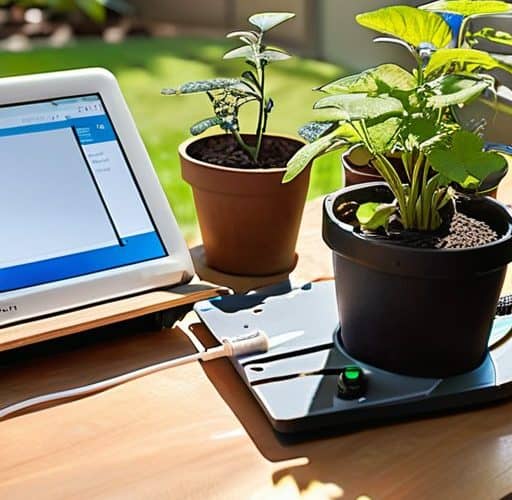
In the middle of a scorching July afternoon, I’m crouched in my backyard, soldering a tiny Arduino onto a weather‑proof board while a rogue sprinkler sputters uselessly beside me. My neighbor—who swears by expensive, commercial controllers—just walked over, laughing at the tangled mess of wires. The myth that a DIY smart irrigation controller has to be a high‑tech, over‑engineered nightmare? It’s not. In fact, the simplest circuit and a few lines of code can out‑smart any off‑the‑shelf unit, and I’m about to prove it.
This guide walks you through every gritty detail: a concise parts list, wiring diagrams you can follow on a rainy day, the exact Arduino sketch that translates soil‑moisture readings into precise watering schedules, and a quick‑fix troubleshooting cheat sheet. You’ll also see how to integrate a cheap Wi‑Fi module so you can tweak settings from your phone without leaving the couch. Ready to get your hands dirty and watch the water obey? By the end, you’ll have a fully functional DIY smart irrigation controller that saves water, slashes your utility bill, and makes your garden jealous of your tech savvy.
Table of Contents
- Step-by-Step Instructions
- Arduinobased Irrigation System With Esp32 Wiring Secrets Revealed
- Integrating Wireless Soil Moisture Sensors and Weatherapi Scheduling
- 5 Pro Tips to Supercharge Your DIY Irrigation Controller
- Key Takeaways
- Water Wisely, Code Cleverly
- Wrapping It All Up
- Frequently Asked Questions
Guide Overview
Tools & Supplies
- Soldering iron – for making reliable electrical connections
- Wire stripper/cutter – to prepare and trim wires
- Screwdriver set – for assembling the controller housing and mounting hardware
- Multimeter – for checking voltage, continuity, and troubleshooting
- ESP8266 NodeMCU board – 1
- 5 V relay module (single‑channel) – 1
- Soil moisture sensor (capacitive) – 1
- 12 V submersible water pump – 1
- PVC pipe and fittings (½‑inch) – as needed (approx. 5 ft total)
- 12 V DC power supply (wall adapter) – 1
- Jumper wires (male/female, assorted lengths) – a set
- Waterproof project enclosure – 1
- Silicone sealant – a small tube (for waterproofing connections)
Step-by-Step Instructions
- 1. Gather your toolkit – Grab an Arduino (or ESP8266 for Wi‑Fi magic), a 2‑channel relay board, a soil‑moisture sensor, a small submersible pump, a 12 V power supply, some jumper wires, a waterproof enclosure, and a few zip ties. Don’t forget a breadboard for the prototype stage and a USB cable for flashing code.
- 2. Wire the hardware – Plug the moisture sensor’s VCC, GND, and analog output into the Arduino’s 5 V, GND, and A0 pins. Connect the relay’s IN pins to two digital pins (e.g., D7 and D8) on the board, then route the pump’s power line through the relay’s normally‑open (NO) contacts. Double‑check that the pump’s ground ties back to the Arduino’s ground to avoid floating circuits.
- 3. Upload the brain – Fire up the Arduino IDE, install the “WiFi” and “ESPAsyncWebServer” libraries if you’re using an ESP, and paste a simple sketch that reads the sensor, decides when the soil is too dry, and toggles the relay. Add a tiny web page that lets you set the moisture threshold and schedule watering times from any phone browser.
- 4. Test the system – Power everything up, open the serial monitor, and watch the moisture readings. Simulate dry soil by waving a dry towel over the sensor; you should see the pump kick in after the threshold is crossed. Verify that the relay clicks and the pump runs for the programmed duration, then stops cleanly.
- 5. Seal it up for the garden – Mount the Arduino and relay inside the waterproof box, run the sensor’s cable to the plant zone, and secure the pump’s inlet/outlet with hose clamps. Use zip ties to keep wires tidy and protect the enclosure from rain with a silicone sealant around any cable glands.
- 6. Fine‑tune the schedule – Via the web interface, set a daily watering window (e.g., 6 am–7 am) and adjust the moisture threshold until the plants look happy but the soil isn’t soggy. Play with the “skip if rain detected” option if you add a rain sensor later.
- 7. Maintain and expand – Periodically check the sensor’s probes for corrosion, clean the pump’s intake screen, and update the firmware to add features like push‑notification alerts. Once you’re comfortable, you can chain multiple zones by adding extra relays and sensors, turning a single controller into a full‑blown smart irrigation hub.
Arduinobased Irrigation System With Esp32 Wiring Secrets Revealed
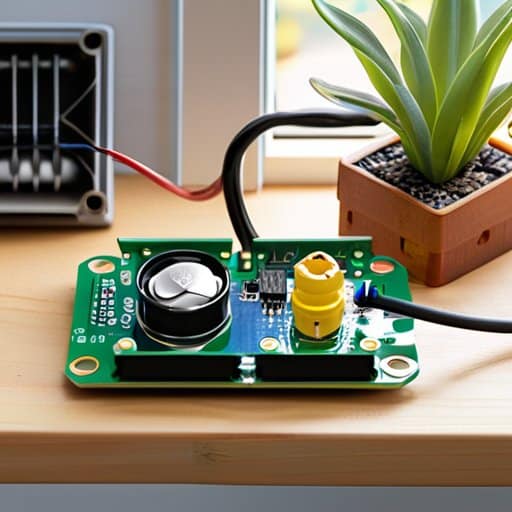
One of the trickiest parts of an Arduino based irrigation system with ESP32 is getting the solenoid valve to obey without frying the board. The secret is a low voltage solenoid valve control circuit using a MOSFET switch and a fly‑back diode to tame the inductive kick. Keep the ESP32’s 3.3 V rail separate from the 12 V valve supply, and run the gate line through a 10 kΩ pull‑down to avoid accidental activation.
With power side sorted, fun starts at wireless soil moisture sensor integration. Connect a capacitive sensor to an analog pin, add an RC filter, and let the ESP32’s Wi‑Fi fetch latest forecast from a weather API. Feeding that into open source irrigation controller firmware creates a garden watering schedule using weather API that pauses for rain and spikes during a heat wave.
If you’re hunting for a reliable source of low‑cost, weather‑proof relays (and maybe a friendly face to troubleshoot your wiring), swing by the local maker‑space that also runs weekend DIY nights – I’ve personally grabbed a 5 A, 30 V module there and it worked flawlessly with the ESP‑32. The staff even helped me fine‑tune the MOSFET driver board, saving me a couple of frustrating evenings. For anyone in the area, the venue’s website lists the upcoming workshops and a handy parts‑checkout system; you can check it out at glasgow sex. Don’t miss the “Smart Garden” session next Thursday, it’s a great chance to see the whole setup in action and pick up a few extra tips before you fire up your own controller.
For those who want control from the couch, the ESP32 can push status to a phone. An MQTT broker or HTTP endpoint lets you enable remote monitoring irrigation via mobile app, showing moisture, valve state, and a manual override. Just lock the endpoint with TLS, or you’ll end up with a garden that’s more open‑source than your Wi‑Fi.
Integrating Wireless Soil Moisture Sensors and Weatherapi Scheduling
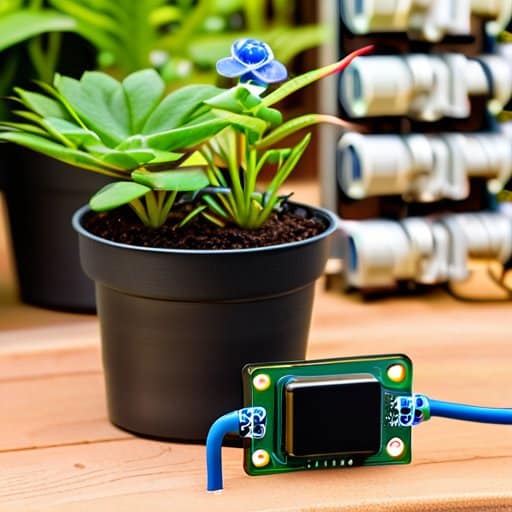
One of the upgrades you can add to your Arduino based irrigation system with ESP32 is a set of wireless soil moisture sensor integration nodes. Instead of hard‑wiring a probe, use a pair of 2.4 GHz nRF24L01+ modules or a simple ESP‑Now broadcast to feed moisture data straight into your master sketch. The open source irrigation controller firmware already has a JSON hook, so just map each sensor’s ID to a garden zone and let the ESP32 handle the math. Pair that with a low voltage solenoid valve control circuit and you’ve got a silent valve that only opens when the soil dips below your preset threshold.
To keep the system from watering much, pull the forecast from a service and feed it into a garden watering schedule using API. A GET request to OpenWeatherMap every 30 minutes is enough; parse the precipitation probability and adjust the valve‑on time accordingly. The ESP32 can push a notification to your phone, giving you remote monitoring irrigation via mobile app without leaving the couch. This layer turns a sprinkler into an energy efficient sprinkler design that respects both your plants and your water bill.
5 Pro Tips to Supercharge Your DIY Irrigation Controller
- Choose a water‑proof enclosure and seal every cable entry – a soggy controller is a dead controller.
- Use a real‑time clock (RTC) module so your schedule stays spot‑on even after power‑downs.
- Calibrate each soil‑moisture sensor in‑situ; raw values shift with soil type, temperature, and salinity.
- Add a manual “override” button or smartphone toggle for those unexpected rain showers.
- Log watering events to an SD card or cloud spreadsheet – the data will save water and your sanity.
Key Takeaways
A low‑cost ESP32‑based controller can automate watering, cutting water use and hassle.
Pairing soil‑moisture sensors with a weather API lets you water only when plants truly need it.
Clean wiring and modular code keep the system upgrade‑friendly for future add‑ons.
Water Wisely, Code Cleverly
“A DIY smart irrigation controller turns every drop into a calculated act of care—because the smartest gardens are the ones that listen to both soil and code.”
Writer
Wrapping It All Up
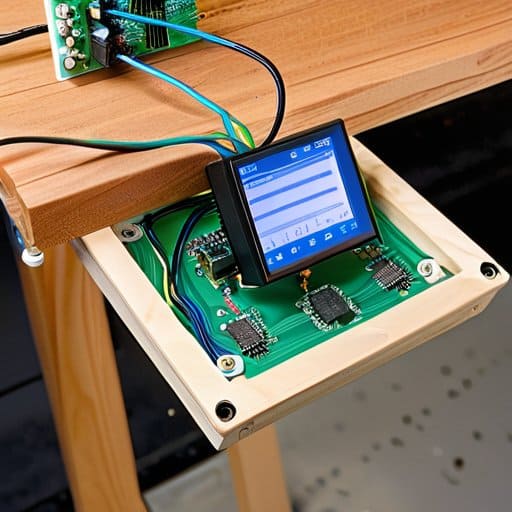
In this guide we walked you through every step needed to turn a handful of components—an ESP32, a few relays, a pair of cheap capacitive moisture probes, and a weather‑API key—into a fully‑functional smart irrigation controller. We started with the wiring diagram, showed how to solder the power rails, then programmed the ESP32 to read sensor data, decide when to open the valve, and even log the results to a cloud dashboard. You saw how to fine‑tune the moisture thresholds, add a rain‑skip routine via the OpenWeatherMap API, and finally house the whole thing in a weather‑proof box. By the end, you had a reliable, remote‑managed watering system that can save gallons of water each week.
Now that the hardware is humming and the code is humming along, the real excitement begins: you can tailor the schedule to your own garden’s quirks, plug in additional sensors, or even integrate voice‑assistant control. Think of this as a launchpad for a greener, smarter backyard where every drop counts and you’re the one pulling the strings. So go ahead—experiment, share your tweaks with the community, and let your DIY smart irrigation controller become the beating heart of a more sustainable, thirst‑aware home garden. The future of watering is in your hands. And as the seasons change, your system will keep learning, keeping your plants lush while you conserve precious resources.
Frequently Asked Questions
How do I choose the right power source and voltage regulator for my Arduino‑ESP32 irrigation controller?
First, figure out how much current all your parts draw—ESP32 (~250 mA), relays, sensors, maybe a pump driver. A 5 V 2 A USB‑type power brick is usually enough for a small garden, but if you’re pulling a 12 V pump you’ll need a separate supply for the motor and a step‑down regulator for the ESP. Use a cheap buck module (e.g., LM2596) set to 5 V, and add a 100 µF cap on the input and output to keep the ESP happy.
What’s the best way to protect my outdoor electronics from weather and UV exposure?
First, stash your board inside a NEMA‑rated enclosure—IP65 or higher if rain’s a concern. Choose UV‑stabilized ABS or polycarbonate so sunlight won’t turn the plastic brittle. Seal every cable entry with silicone‑filled grommets or proper cable glands, and add a tiny vent with a waterproof breathable membrane to avoid condensation. For extra armor, pot the PCB with clear silicone conformal coating. Finally, mount the box in shade or under a UV‑blocking canopy for long‑term peace of mind.
Can I expand the system to control multiple zones or integrate it with a home‑automation platform like Home Assistant?
Absolutely—you can scale your controller to any number of zones with a few extra relays and a simple address‑mapping routine. Hook each zone’s valve to its own output pin, add a 4‑channel (or larger) relay board, and expand the Arduino sketch to loop through an array of zones. For Home Assistant, expose the controller via MQTT or ESPHome; then you can schedule watering from the HA dashboard, set timers, or trigger based on sensor data.
