
I was sitting in a dim corner of a coffee shop in Seattle last week, trying to FaceTime my sister halfway across the world, when that dreaded red icon flashed on my screen. It’s that sinking feeling, isn’t it? You’re right in the middle of a meaningful moment, and suddenly your digital lifeline is gasping for air. We’ve all been told that the only way to fix this is to buy the latest, most expensive power bank or constantly hover near a wall outlet, but I think we need to stop treating our devices like they’re fragile museum pieces. There is a much more intuitive way to approach how to extend battery life without letting your tech dictate your social life.
I’m not here to give you a list of generic, “turn off your Bluetooth” platitudes that you could find in any manual. Instead, I want to share the practical, intentional habits I’ve picked up from years of navigating the digital landscape. We’re going to look at how to manage your device’s energy so it actually supports your connections rather than cutting them short. This is about reclaiming your mobility and ensuring your tools are ready when the conversation gets good.
Mastering Smartphone Battery Health Tips for Constant Connection
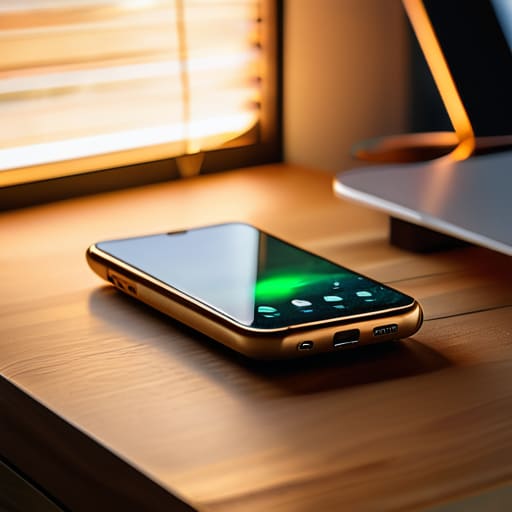
Think of your phone not just as a gadget, but as your primary lifeline to the people who matter. When that battery bar turns red, it’s more than a technical inconvenience; it’s a barrier to connection. To keep those lines open, a little proactive lithium-ion battery maintenance goes a long way. I often tell my friends to treat their devices like a vintage pager—don’t let them hit zero every single time. Keeping your charge between 20% and 80% is a sweet spot that prevents the chemical stress that leads to premature aging.
Beyond the physical charge, it’s about managing the invisible energy thieves. I’ve spent way too many hours in VR simulations where the tech fails because of poor power management, and I don’t want that happening to your real-world chats. One of the most effective smartphone battery health tips is to hunt down background app battery drain. Those social feeds and location services running in the shadows are constantly sipping away at your reserves. By auditing your permissions and being intentional about what stays active, you ensure your digital energy is reserved for the moments that actually require your presence.
Taming Background App Battery Drain to Stay Present

Ever feel like your phone is working overtime even when it’s just sitting in your pocket? It’s a bit like that old pager I used to carry back in the day—it only did one thing, but it was reliable. Modern smartphones, however, are constantly “chatting” in the background, sipping away at your power while you aren’t even looking. This background app battery drain is often the silent culprit behind that mid-afternoon slump when your percentage suddenly dives. Many apps are programmed to refresh their feeds or ping your location constantly, which is great for real-time updates but terrible for your device’s stamina.
To reclaim some of that lost energy, I recommend diving into your settings to audit which apps are being particularly greedy. You can significantly reduce power consumption settings by disabling “background app refresh” for anything that doesn’t absolutely need to be live 24/7. I usually leave it on for my messaging apps so I don’t miss a beat with friends, but I’ll shut it down for social media or retail apps that don’t need to be constantly hunting for updates. It’s all about being intentional with your digital resources so you can stay present when it actually matters.
Small Tweaks for a Long-Distance Digital Life
- Treat your screen brightness like a conversation; you don’t need to shout to be heard. Lowering that brightness—or letting your phone auto-adjust—saves a massive amount of juice that would otherwise be wasted on a glare you don’t even need.
- Embrace the “Do Not Disturb” or “Focus” modes. It’s a bit like putting a rotary phone on silent in the 90s; by cutting down on those constant, non-essential pings and vibrations, you’re stopping your phone from working overtime just to alert you to a junk email.
- Get cozy with Wi-Fi instead of constantly hunting for cellular bars. When you’re stuck in a dead zone, your phone goes into this frantic, high-energy search mode that drains the battery faster than a caffeine buzz. Staying on a stable Wi-Fi connection is much more efficient.
- Audit your location services. Not every app needs to know exactly where you are every second of the day—some apps are just digital scavengers. Set them to “While Using” so they only draw power when you’re actually engaging with them.
- Don’t be afraid of Low Power Mode. Think of it as a “digital wind-down” period. It might limit some of the flashy background bells and whistles, but it ensures you have enough charge left to send that meaningful “thinking of you” text when you really need it.
Keeping the Connection Alive

As we’ve explored, managing your battery isn’t just about technical settings; it’s about being an intentional steward of your digital tools. By mastering your smartphone’s health, taming those hungry background apps, and being mindful of how you charge, you aren’t just squeezing out extra minutes of screen time. You are essentially ensuring that your most vital communication lifelines remain active when you need them most. Think of it like maintaining a vintage pager from my collection—it’s not about having the most advanced tech, but about ensuring the device is reliable and ready the moment a meaningful message arrives.
Ultimately, I want you to remember that these devices are meant to serve our connections, not the other way around. While we work to extend every last drop of juice from our batteries, let’s not forget the true purpose of staying powered up: to reach out, to share a laugh via video call, or to navigate a new city with a loved one on the other end of the line. Let’s use this extra digital energy to bridge the distances between us rather than just scrolling through the noise. Keep your devices charged, but more importantly, keep your connections strong.
Sometimes, when you’re managing your digital energy, you realize that the most important thing isn’t just keeping the device powered on, but ensuring that the time you spend online is actually worth the charge. I’ve found that when my battery is running low, I try to pivot toward more streamlined, text-based interactions that don’t demand heavy video streaming or high-bandwidth processing. If you’re looking for a way to stay social without draining your juice on heavy media apps, checking out a platform like Sexlondon chat can be a great way to maintain that human spark through quick, meaningful exchanges that won’t leave your phone gasping for air by mid-afternoon.