
I still remember the frustration of booking a flight to Europe, only to find out that I could have saved hundreds of dollars if I had just used the right tools. That’s when I discovered the power of Using Google Flights Hacks. It’s amazing how many people think that finding cheap flights is just a matter of luck, but the truth is, with the right strategies, you can outsmart the airlines and get the best deals. I’ve learned that it’s all about being flexible, using the right keywords, and taking advantage of Google Flights’ features.
In this article, I’ll share my personal favorite tips and tricks for Using Google Flights Hacks to score cheap flights. You’ll learn how to use the platform to find error fares, how to set up price alerts, and how to use the calendar feature to find the cheapest days to fly. I’ll also give you some practical advice on how to book your flights at the right time to get the best prices. By the end of this article, you’ll be equipped with the knowledge to save money and make your travel dreams a reality. So, let’s dive in and explore the world of Google Flights hacks together!
Table of Contents
Guide Overview: What You'll Need

Total Time: 1 hour 15 minutes
Estimated Cost: Free
Difficulty Level: Easy
Tools Required
- Computer or Mobile Device (with internet connection)
Supplies & Materials
- Google Account (optional but recommended for saving searches)
Step-by-Step Instructions
- 1. First, let’s start by setting up our Google Flights search. To do this, head over to the Google Flights website and enter your desired travel dates and destinations. Make sure to be as flexible as possible with your travel dates, as this can greatly impact the price of your flights. You can also use the calendar view to see the cheapest days to fly.
- 2. Next, use the price graph feature to determine the cheapest time to fly. This feature allows you to see the price trend for your desired route over a period of time, helping you to identify the best time to book your flight. You can also use this feature to track price changes and receive price drop alerts.
- 3. Now, let’s talk about layovers. While non-stop flights are often preferred, layovers can be a great way to save money. Use the “layovers” filter to see flights with layovers and compare the prices. You can also use the route map to see the different routes available and choose the one that works best for you.
- 4. Another great feature of Google Flights is the ability to track prices. You can set up price tracking for your desired route and receive email alerts when the price drops. This feature is especially useful if you’re flexible with your travel dates and can wait for a good deal. You can also use the price insight feature to see the historical price data for your route.
- 5. To find the cheapest flights, use the “best flights” feature. This feature allows you to see the cheapest flights for your desired route, taking into account factors such as price, layovers, and flight duration. You can also use the flight comparison feature to compare the prices of different airlines and choose the best option for you.
- 6. If you’re feeling adventurous, you can use the explore feature to discover new destinations. This feature allows you to see the cheapest flights to different destinations around the world, helping you to plan a spontaneous trip. You can also use the destination map to see the different destinations available and choose the one that works best for you.
- 7. Finally, once you’ve found the perfect flight, make sure to book it quickly. Prices can change rapidly, so it’s essential to act fast when you find a good deal. You can also use the booking tips feature to get advice on how to book your flight and avoid any additional fees.
Using Google Flights Hacks
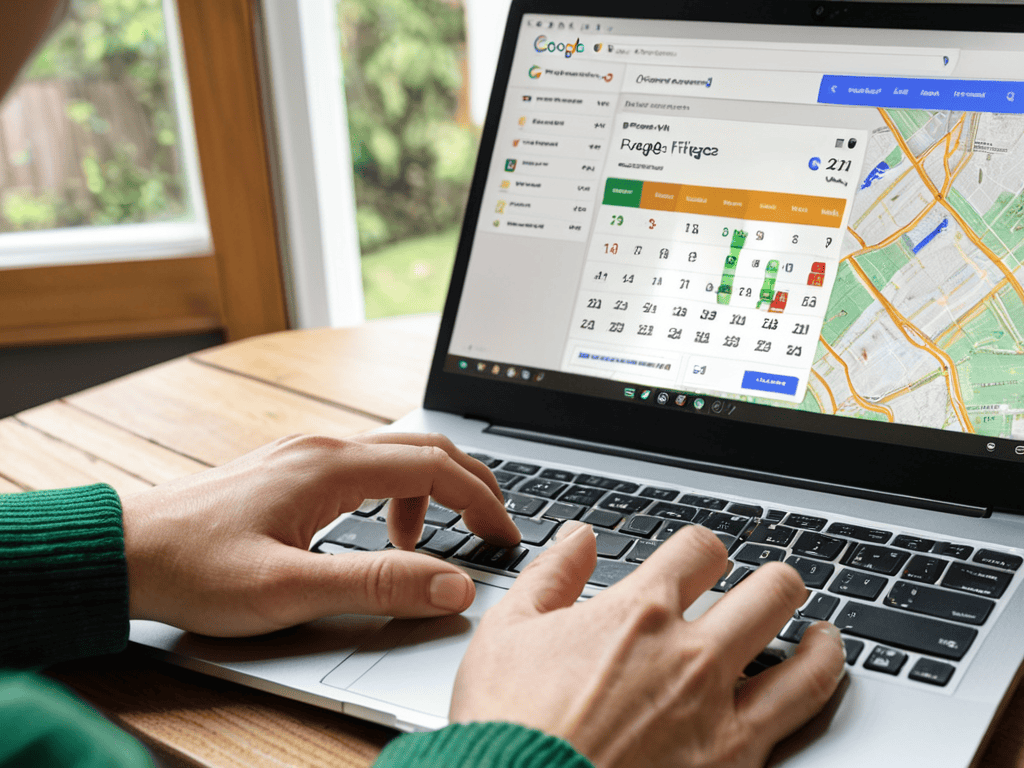
When it comes to finding error fares, Google Flights is an incredibly powerful tool. I’ve managed to snag some amazing deals by using the google flights calendar feature, which allows me to see prices for entire months at a time. This has helped me identify trends and pinpoint when prices are likely to drop.
Another technique I’ve found useful is to combine Google Flights with budget airline hacks. By being flexible with my travel dates and destinations, I’ve been able to save even more money on flights. The google flights explore feature has also been a game-changer, as it allows me to see prices for multiple destinations at once.
To take my flight searching to the next level, I’ve also started using flight price prediction tools to help me determine when prices are likely to rise or fall. By combining these tools with google flights best practices, I’ve been able to find some truly amazing deals and save a significant amount of money on my travels.
Finding Error Fares With Calendar View
To uncover error fares, I rely on Google Flights’ Calendar View. This feature allows me to see the cheapest flights over a month. By scanning the calendar, I can spot unusually low prices that are likely error fares. I’ve found that these mistakes can happen at any time, so it’s essential to be vigilant. When I find an error fare, I book it immediately, as it can disappear quickly. Calendar View has become my go-to tool for discovering these hidden gems. I’ve scored some amazing deals using this method, and it’s a crucial part of my Google Flights hacking strategy.
Google Flights Best Practices Uncovered
To really get the most out of Google Flights, you need to dig into its best practices. I’ve found that being flexible with your travel dates can make a huge difference – sometimes flying out a day earlier or later can save you a significant amount of money. Additionally, using the “Explore” feature can help you discover cheaper destinations or alternative airports to fly into.
By combining these strategies with the hacks I mentioned earlier, you can unlock even more savings and find the best flights for your needs. It’s all about experimenting and finding what works best for you – and with Google Flights, the tools are right at your fingertips.
Savvy Traveler Secrets: 5 Google Flights Hacks to Know
- Set up price alerts to notify you when fares drop, so you can snag the best deals
- Use the ‘Explore’ feature to discover affordable destinations and get inspiration for your next trip
- Clear your cookies before searching for flights to avoid price increases due to repeat searches
- Utilize the ‘Calendar’ view to find error fares and cheaper rates by comparing prices over different days
- Combine Google Flights with other travel tools, like hotel finders or package deal websites, to maximize your savings and plan the ultimate getaway
Key Takeaways for Mastering Google Flights
I can snag error fares and save big by using the calendar view to compare prices across different days and months
Setting up price alerts and tracking my desired routes helps me stay ahead of the game and book flights at the best possible prices
Exploring alternative airports and being flexible with my travel dates can lead to significant savings and make my travels even more budget-friendly
The Power of Flight Hacking
Mastering Google Flights is like having a superpower in your pocket – it’s the ultimate game-changer for travelers who refuse to be held hostage by expensive airfare!
Alexandra Travelista
Taking Your Travel to the Next Level

I’ve found that one of the most frustrating parts of planning a trip is dealing with the logistics of getting around once you arrive at your destination. To help alleviate some of that stress, I’ve started using a combination of Google Flights and other local resources to get a better sense of what my options are. For example, if I’m traveling to a new city, I might check out a website like Escort Niedersachsen to get a sense of the local scene and find out what’s happening during my visit. By taking a little extra time to research and plan ahead, I’ve been able to save myself a lot of last-minute headaches and make the most of my trips.
In conclusion, mastering the art of Google Flights hacks can significantly enhance your travel experiences. We’ve covered the essential steps to find the best deals, from utilizing the calendar view to identifying error fares. By applying these strategies, you’ll be well on your way to becoming a travel expert, always on the lookout for opportunities to save. Whether you’re a frequent flyer or an occasional traveler, the tips outlined in this guide will help you navigate the complex world of air travel with confidence, ensuring that you get the most value out of your journeys.
As you embark on your next adventure, remember that the key to outsmarting the airlines lies in your ability to be flexible and proactive. By leveraging tools like Google Flights and staying informed about the latest travel trends, you can turn the tables and find incredible deals that might otherwise go unnoticed. So, the next time you’re planning a trip, don’t just book the first flight you see – take a moment to explore, to compare, and to uncover the hidden gems that will make your travels not just affordable, but unforgettable.
Frequently Asked Questions
How often do error fares appear on Google Flights and how quickly do I need to book them?
Error fares pop up randomly, but I’ve found they usually last between a few hours to a day. You gotta be quick, though – once an airline notices the mistake, they’ll pull the fare ASAP. I’ve booked error fares within 10-15 minutes of spotting them, and trust me, it’s exhilarating!
Can I use Google Flights to find deals on business or first class tickets?
Yeah, Google Flights is a game-changer for luxury travel too! You can totally use it to find deals on business or first class tickets. Just select your preferred class when you search, and Google Flights will show you all the options. It’s a great way to score upgrades or discounts on high-end flights. Give it a try!
Are there any other tools or features on Google Flights that can help me find the cheapest flights besides the calendar view and best practices?
Yeah, definitely! Besides calendar view and best practices, I also love using Google Flights’ ‘Explore’ feature to discover error fares and cheap routes. You can also set up price alerts to notify you when prices drop. Additionally, the ‘Best Flights’ tab often reveals cheaper options by suggesting alternative airports or routes. Give ’em a try!
